


 IPTables Configuration: Rules and ExamplesChanging MTU on Windows and LinuxWorking with TCPDump: basics and filtersMeasuring Network Speed in Linux with Speedtest CLIDNS error “Temporary failure resolving…”: how to fix itHow to Collect Network Traceroute on Linux and WindowsMonitoring Network Traffic with VnStat
Measuring Network Speed [SpeedTest]
Here you can clearly see how to measure network speed on VDS and Dedicated servers running Linux in the simplest and most effective way.
First, we need to update the system package and repository lists using the following command:
sudo apt-get -y update
After a few minutes the process is completed, and next we need to install the curl utility:
apt-get install -y curl
Done!

Now download the Speedtest software files:
curl -s https://install.speedtest.net/app/cli/install.deb.sh | sudo bash
The files have been successfully downloaded.

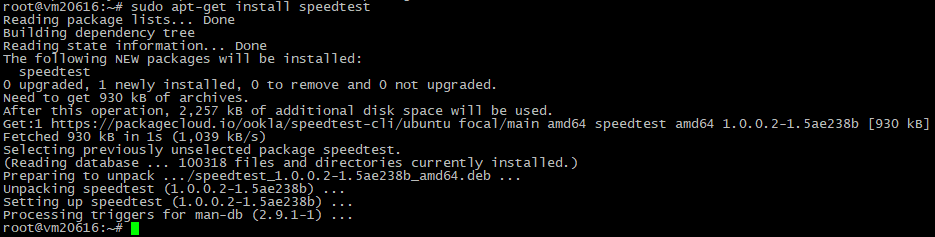
Next, run the following command to unpack and install Speedtest:
sudo apt-get install speedtest
Speedtest has been installed.
Now we can use a simple command to check the network speed:
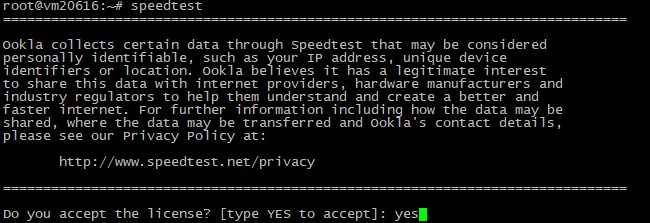
speedtest
Run the command and accept the license agreement.
The network speed measurement process then begins.

Once the test is complete, you will be presented with detailed information about the results:
