


DNS error “Temporary failure resolving…”: how to fix it
This article covers what to do if you encounter issues with your DNS servers.
The error looks roughly as follows:
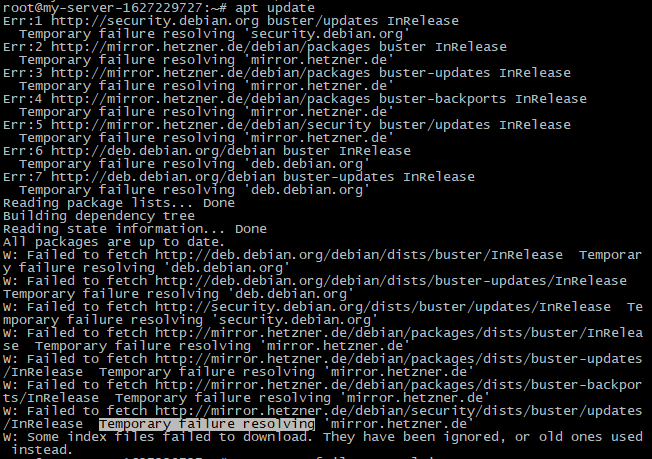
We will demonstrate two ways to resolve this issue: via SSH access and via sFTP access.
#Using SSH
Use the Nano editor to view and edit the resolv.conf file, which is used to configure the server DNS. Run the following command:
nano /etc/resolv.confThe resolv.conf file editor will open in front of you.
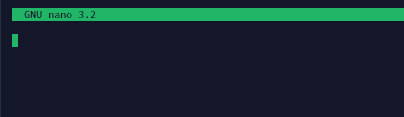
The file may be empty, or it may contain some descriptive text. This depends on the selected Linux distribution.
In this file, you need to specify a nameserver for your OS.
Which nameserver should you use? You can find more details at the end of this article. In this example, we will use DNS 8.8.8.8 from Google as the primary resolver.
Add the following lines to the file:
nameserver 8.8.8.8
nameserver 1.1.1.1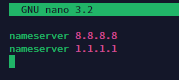
Press Ctrl + X to exit the file, then press Y to save the changes.

Then press Enter to keep the file name unchanged.

#Using sFTP
Connect to your server via sFTP. Then navigate to the /etc directory and locate the resolv.conf file there.
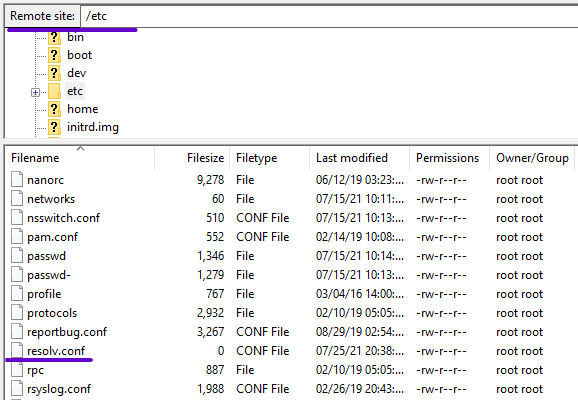
Open it with any text editor.
The file may be empty, or it may contain some descriptive text. This depends on the selected Linux distribution.
Here, you need to add appropriate nameserver entries. It is recommended to specify several of them in case one becomes unavailable.
nameserver 8.8.8.8
nameserver 1.1.1.1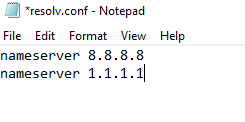
Great, save the file and upload it back to the server.
Did not find the answer? We are online 24/7.Contact support