


How to Contact SpaceCore Support?
To contact support, go to your client area, then create a new account or log in to an existing one.
#Step 1. Open the support section
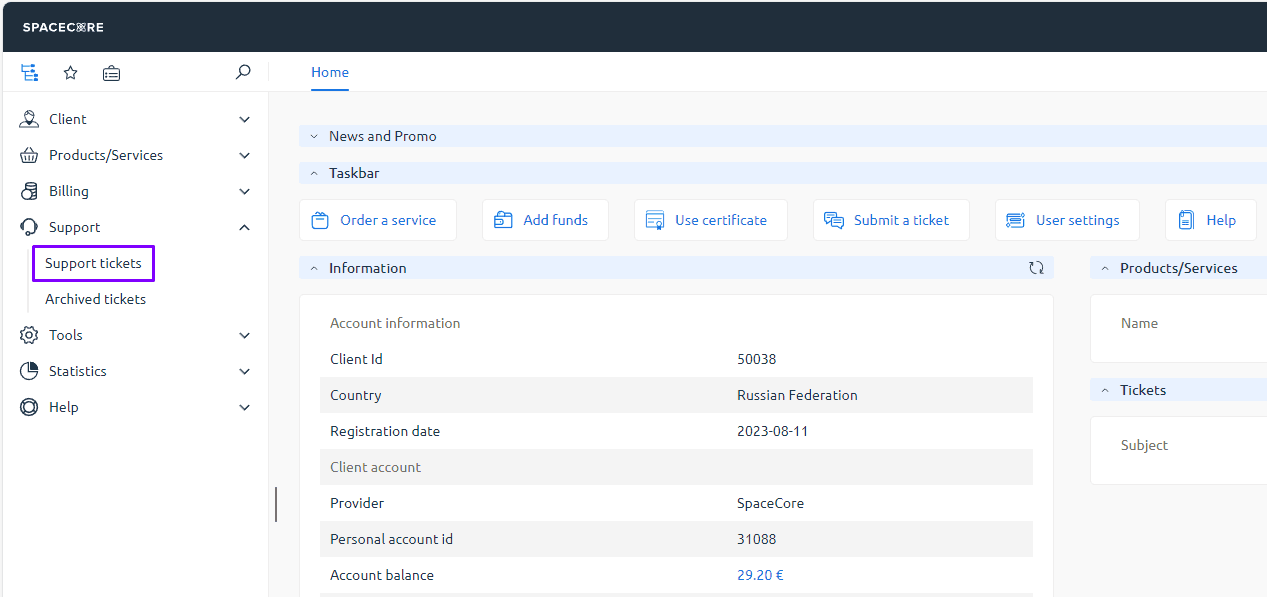
In the menu on the left, expand the “Support” section and select the “Tickets” page.
#Step 2. Create a new ticket
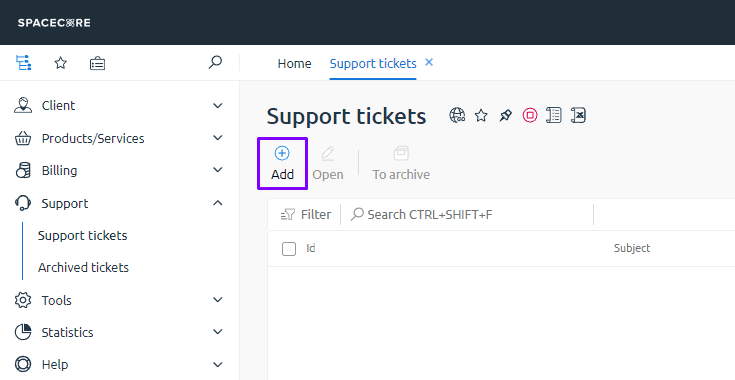
On the main support page, click the “Create” button to open the new ticket form.
#Step 3. Fill out the ticket form
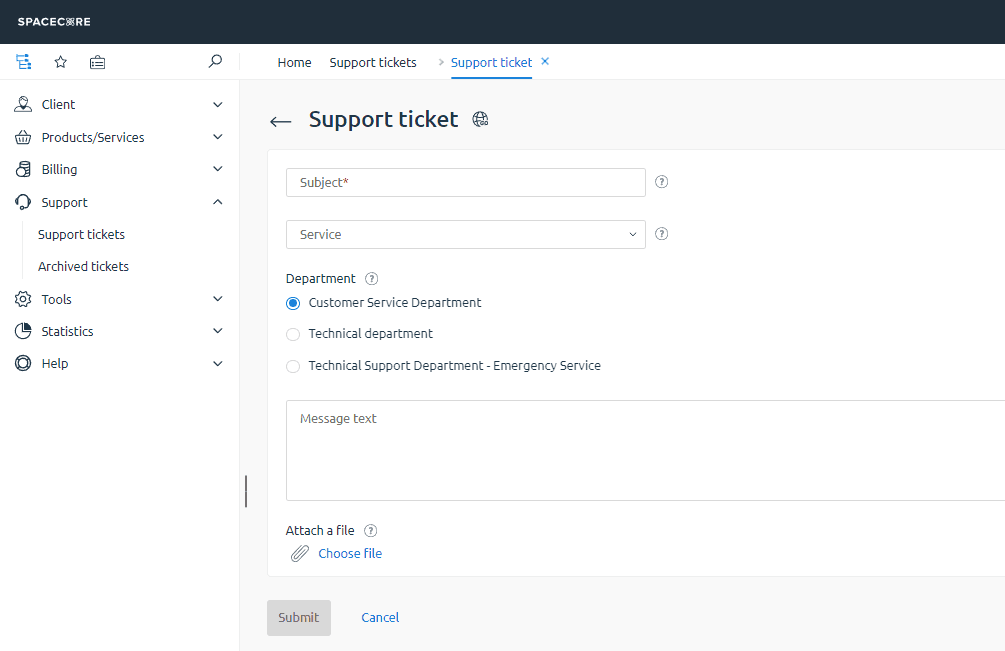
In the form, specify the subject, service, department, and give a detailed description of the issue. After that, you can submit the request to support.
#A few rules for creating tickets
Ticket subject
The subject is a short name for your issue. It lets the specialist quickly understand what the request is about.
For example, you can use:
- “Account balance top up”
- “Repository access issues”
- “Website on VDS is not loading”
Try to avoid generic subjects like “Help” or “Question” because they do not explain the essence of the request.
Attaching a service
In the “Service” field, select the specific service in your account the request refers to, such as VDS, dedicated server, domain, or VPN.
This helps the support team quickly find the required server or service and check its status.
If the issue affects several services at once, you can leave this field empty and specify their IDs, plan names, or IP addresses directly in the message text.
Choosing a department
The selected department determines which specialists see your ticket first. If the topic does not match the department, the ticket will need to be reassigned, which increases the response time.
The “Customer service” department is the best choice for questions:
- about purchasing or renewing services
- about plan changes
- about the referral program and billing
- about general issues not related to server configuration
The “Technical department” is for questions:
- about hardware and network operation
- about server or website availability
- about OS, software, and control panel configuration
- about performance and application errors
The “Emergency support” department is the same technical team, but it is used only for critical incidents that require immediate action, such as a complete server outage or large scale service downtime.
Tip: The more detailed information you include in your ticket, the faster the specialist will be able to understand and resolve your issue.
Did not find the answer? We are online 24/7.Contact support