


 Registration
Telegram notifications in your SpaceCore account
These notifications are truly convenient — you don’t even need to leave Telegram. Below is a step-by-step guide on how to connect SpaceCore billing notifications to your Telegram.
Step 1. Log in to your account
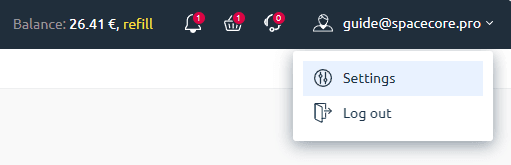
You need to log in to your account, then hover over your user e-mail in the top right corner and go to the “Settings” section.
Step 2. Configure notifications and enter your TelegramID
Scroll down the page to the “Notification settings” section. Here you will see a field where you need to enter your TelegramID without the “@” symbol. Enter it and save the settings.
Important: TelegramID must be entered without the “@” symbol. For example, if your Telegram handle is
@username, you should enterusernamein the field.
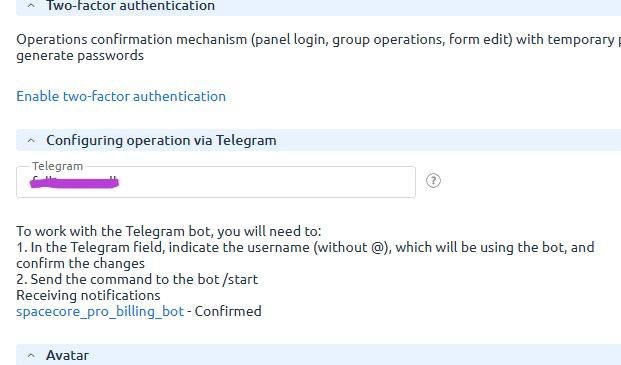
At this stage, the notification status is “Setup required”. Click the “OK” button — the status will then change to “Configuring”.
Step 3. Start a chat with the bot in Telegram
Next, you need to send any message to the Telegram bot to initiate a conversation. Send a message and then refresh the page in your SpaceCore account.
Step 4. Check the status and test notifications
All set — the status should now change to “Confirmed”. After that, you can test the notifications and make sure they are successfully delivered to your Telegram.
🚀 Done! Now you’ll receive important SpaceCore notifications promptly, directly in Telegram.