IPTables Configuration: Rules and ExamplesChanging MTU on Windows and LinuxWorking with TCPDump: basics and filtersMeasuring Network Speed in Linux with Speedtest CLIDNS error “Temporary failure resolving…”: how to fix itHow to Collect Network Traceroute on Linux and WindowsMonitoring Network Traffic with VnStat
Brute-Forcing Windows
The Windows Server update KB5020282 introduces an account lockout feature that blocks the administrator account after 10 unsuccessful password attempts within 10 minutes.
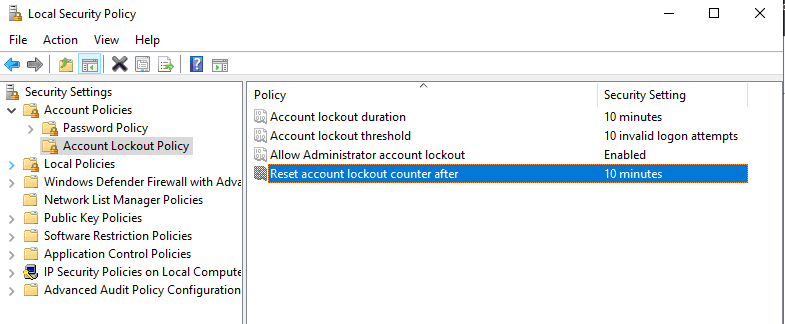
Since Hetzner uses static IP addresses, such brute-force attacks are not uncommon and may result in your administrator account being locked out. You can change this feature’s settings or completely disable it in the Local Security Policy. You can find this option in Server Manager by clicking "Tools" and then "Local Security Policy".
To disable this feature, set the "Account lockout threshold" parameter to 0. The remaining parameters should then be disabled.
Hetzner unlock
If your account has already been locked, you can whitelist your own address in the firewall to allow the connection. You can find it here.
After enabling and configuring the firewall, you will need to wait at least 10 minutes for the rules to take effect. After logging in, please adjust the settings as described above.

VPS unlock
Log in to the control panel by following this link. The login details are sent to your email address when your first virtual server is activated. In addition, you can log in automatically by going directly from your client area.
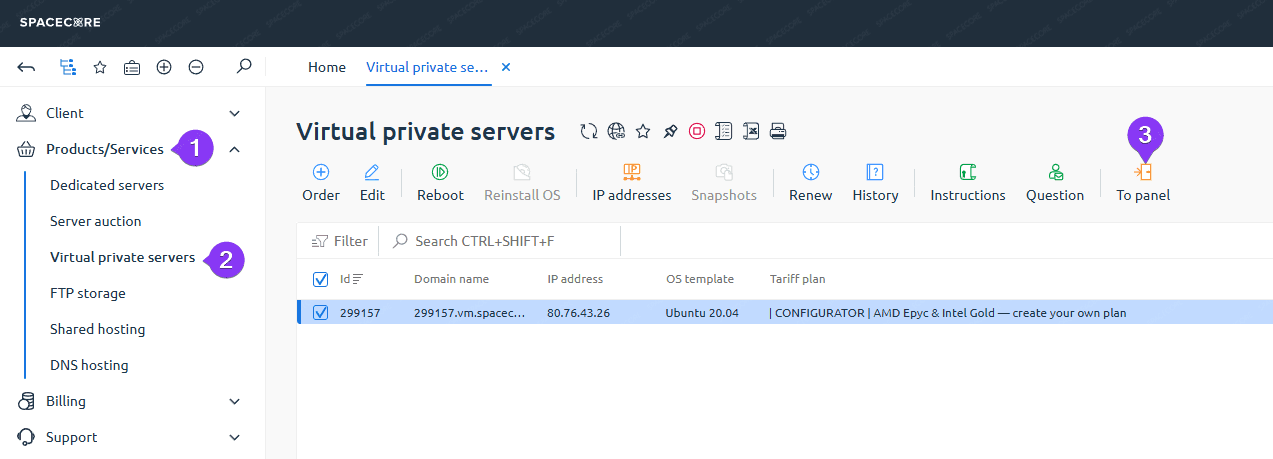
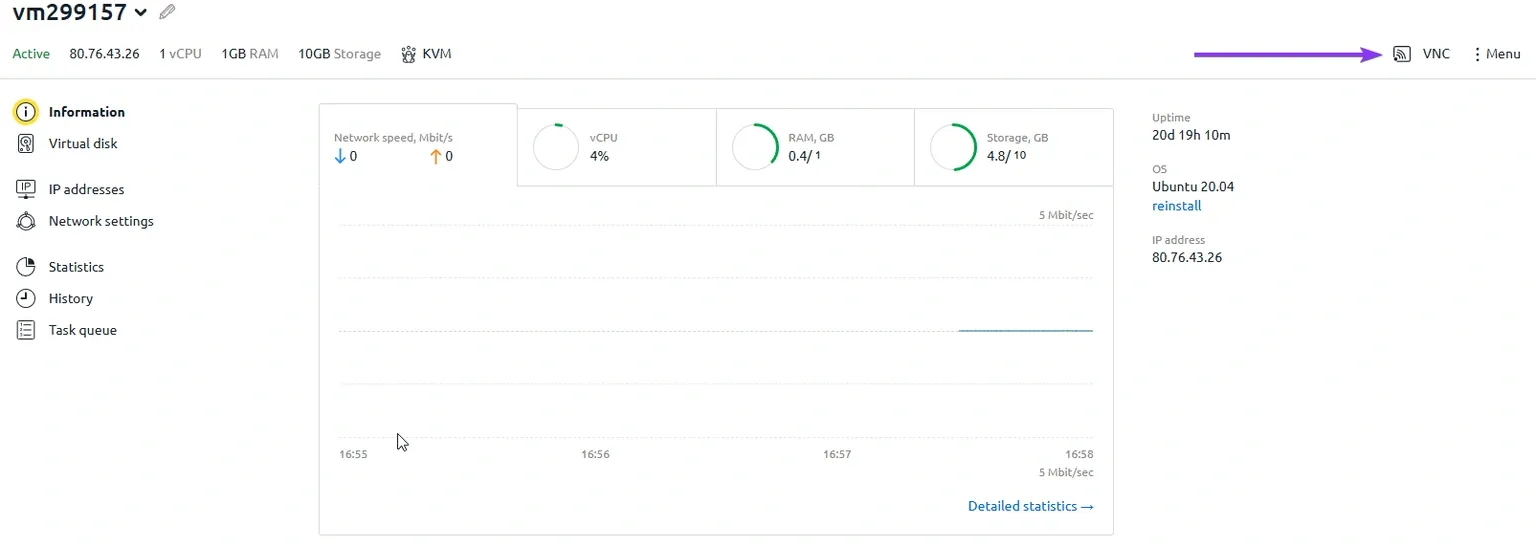
In the control panel, click the name of your server, then click the Settings button.

Click the VNC button.
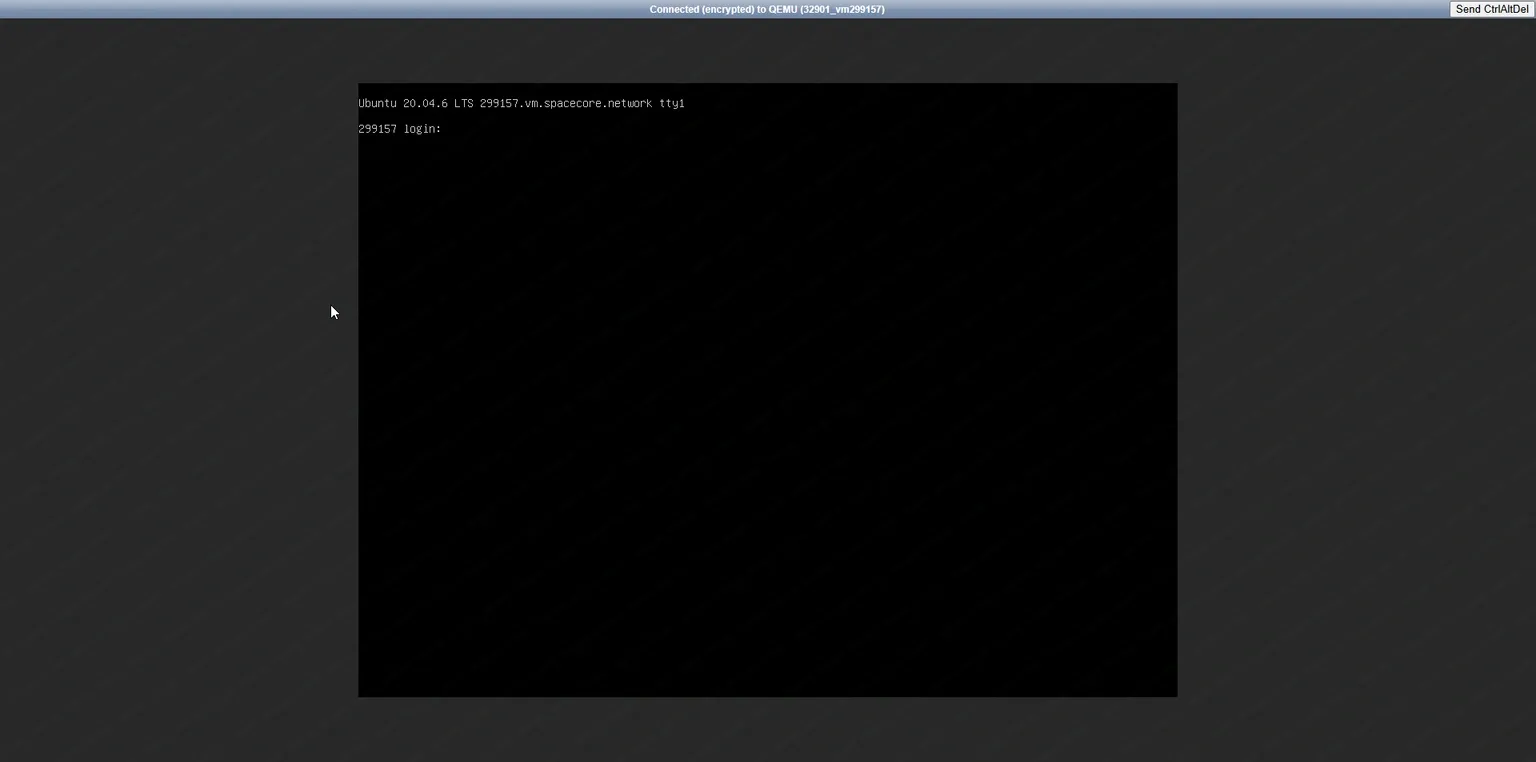
You will be taken to a remote console where you can perform the necessary configuration.