Registration
Account Verification (KYC)
What is this verification and why is it required?
We have introduced an identification system for users whose accounts appear suspicious or violate the terms of service. This process includes verification of passport data via the trusted Idenfy service and a photo check. The entire operation usually takes no more than 5 minutes, after which your account becomes verified.
Full confidentiality of all data you provide is guaranteed.
Please note: your account may be sent for review automatically. You will receive a corresponding notification in the "Support" section. The verification must be completed within 72 hours.
We check the email address for association with anonymous and temporary mail services, which prevents their use and increases security. A check against the FraudRecord database helps us detect suspicious activity. We also check the IP address against spam lists and for association with the Tor network to ensure it is not being used for unwanted activities.
How to complete the verification?
Log in to your account via the following link: https://billing.spacecore.pro/
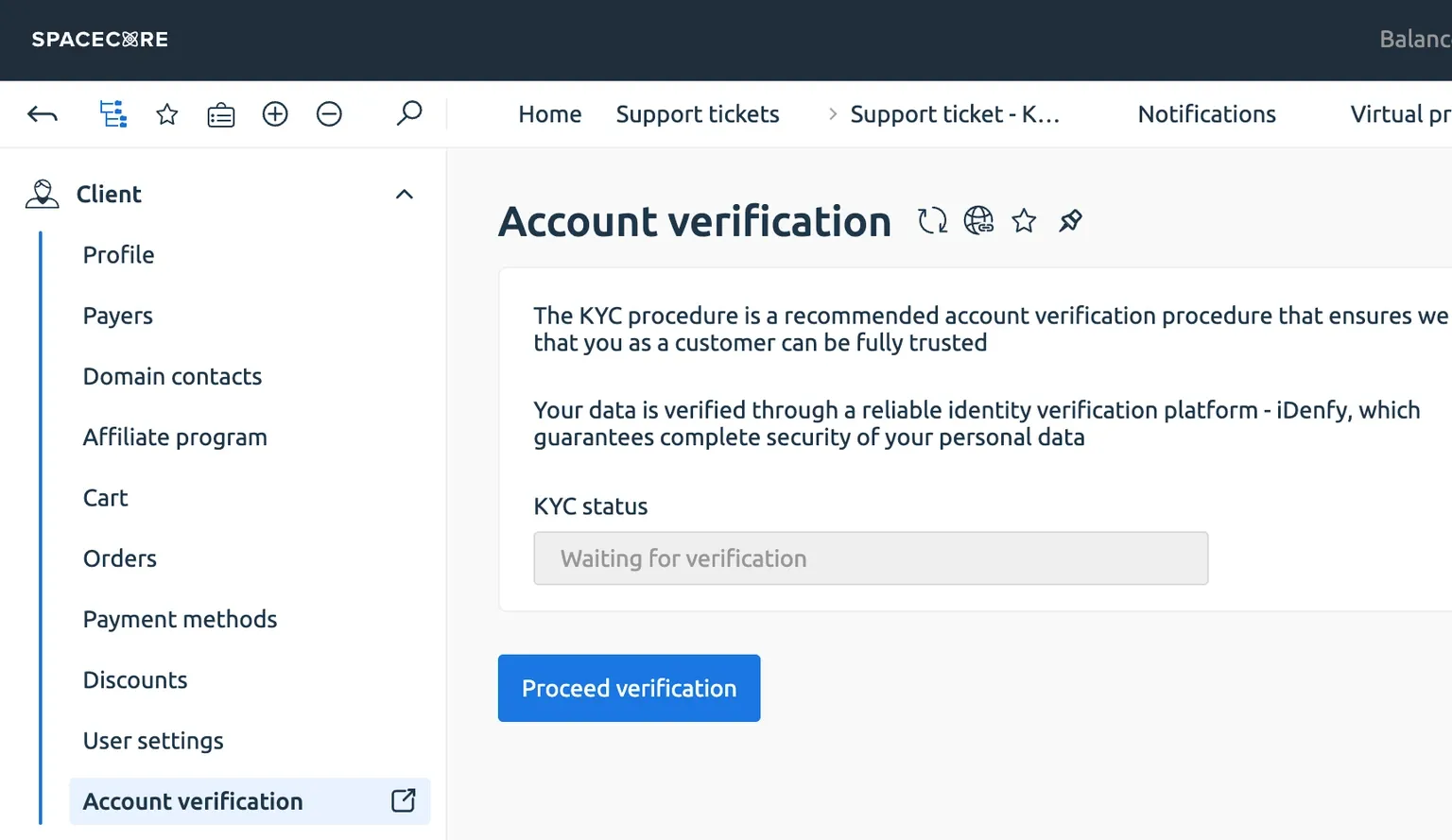
In the left-hand panel, expand the "Client" category — there you will see the "Account verification" button. Click it to start the process.
Then click "Request verification".
In the "Support" section, open "Requests list". A new ticket named "KYC" will appear there.

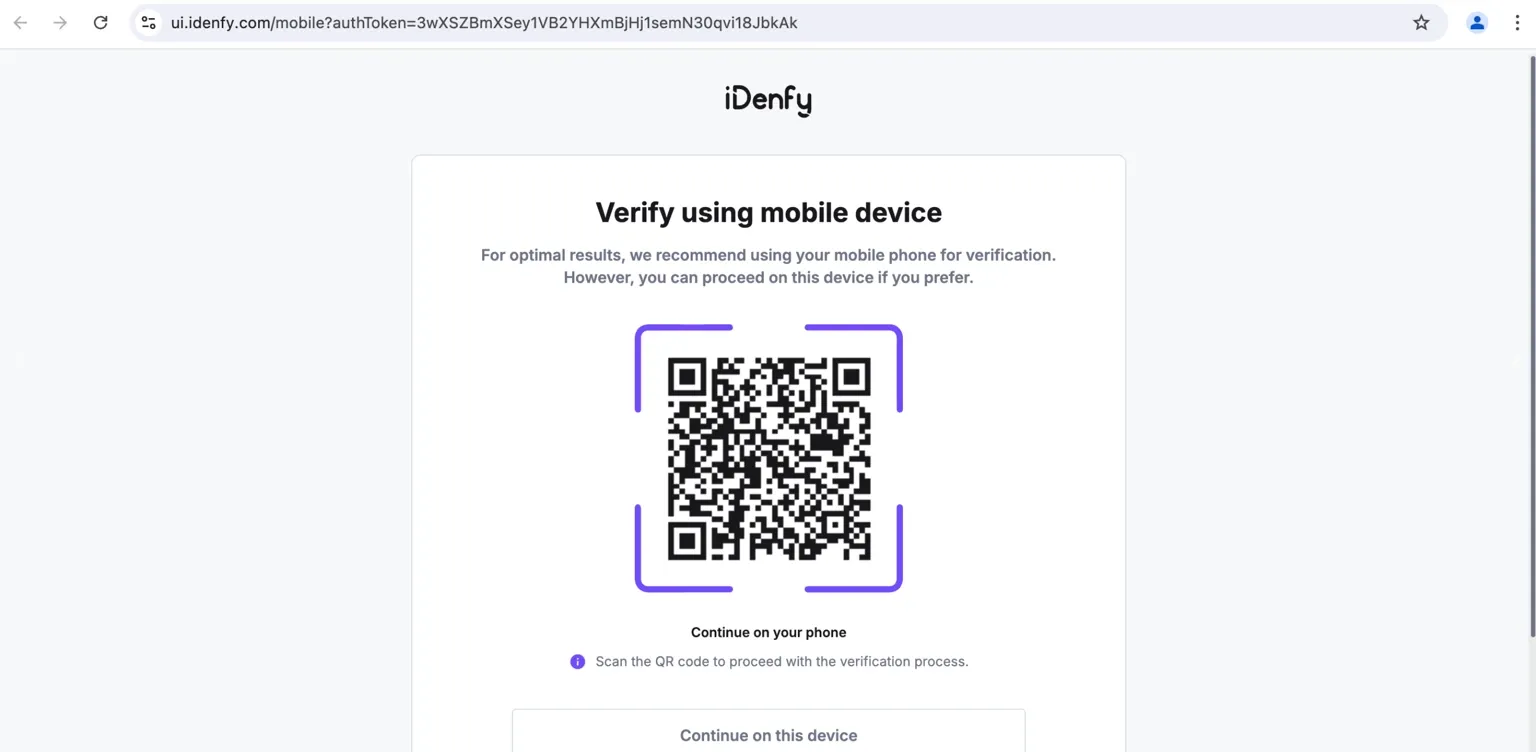
Open the "KYC" ticket and follow the instructions. A QR code will appear on the screen to continue the verification procedure.

If you are working on a computer, scan the code with your phone’s camera to continue the procedure on your mobile device.
Select the country of which you are a resident and the type of document that will be used to confirm your identity.
Once the procedure is complete, you will receive a notification about the result of the verification in the same "KYC" ticket.
If something goes wrong, an error message will appear. If you are sure that everything was done correctly, please contact our support team via the client area.