


How email works: the SMTP, POP3, and IMAP protocols

Email looks simple: you click "Send" and a second later the message is with the recipient. But behind this are several protocols responsible for sending, delivering, and reading messages. In this article we break down how email works and how SMTP, POP3, and IMAP differ - in plain words and with practical examples.
#How a message is delivered
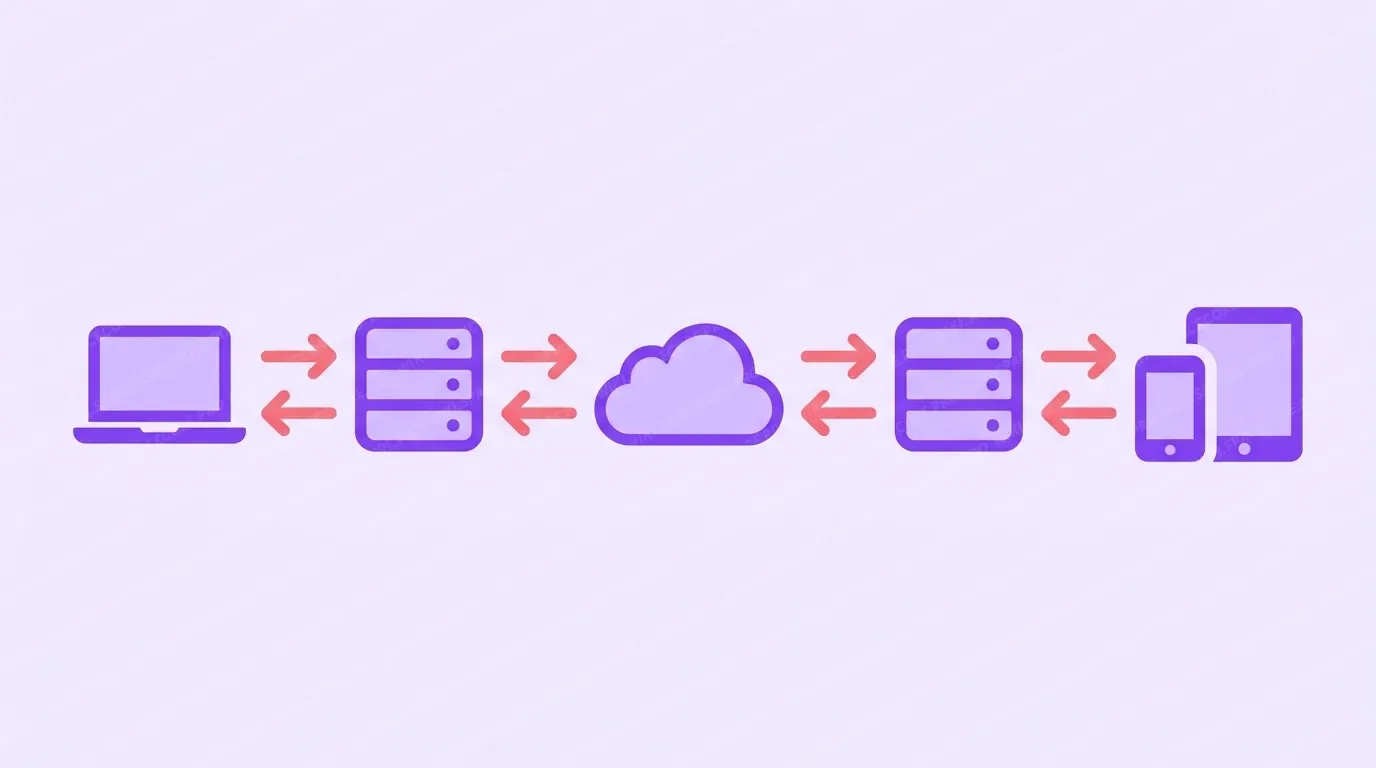
For a message to get from you to the recipient, several participants are involved.
- Email client - the program or web interface where you write and read messages. This is Outlook, Thunderbird, a mobile app, or webmail in a browser.
- Sender's server - receives the message from the client and sends it onward across the network.
- Recipient's server - receives the message from the internet and places it in the recipient's mailbox.
- Mailbox on the server - the place where messages are stored until the recipient opens them.
Three protocols work between these participants: SMTP handles sending, while POP3 and IMAP handle receiving. We will look at each in detail in the next section, but first let us follow the message's full path.
When you click "Send", the message takes roughly this path.
- The email client passes the message to the sending server over the SMTP protocol.
- The sender's server determines the recipient's domain (the part of the address after the @ symbol) and asks DNS for its mail server - the MX record.
- Over the same SMTP, the message is passed to the recipient's server across the internet.
- The recipient's server accepts the message and stores it in the recipient's mailbox.
- The recipient opens their email client and fetches the message over the POP3 or IMAP protocol.
- The message appears in the "Inbox" folder.
#What DNS and MX records have to do with it
For a message to find the right server, DNS is used. Every domain has an MX record (Mail Exchanger) that points to which server accepts mail for that domain. The sender's server reads the recipient's MX record and delivers the message there. If the MX record is configured incorrectly, messages do not arrive.
#SMTP, POP3, and IMAP: the three email protocols
Three protocols handle sending and receiving messages: one sends messages, the other two fetch them from the server.
#SMTP - sending messages
SMTP (Simple Mail Transfer Protocol) handles sending a message: from the client to the server and between servers. It is the postman who carries the letter but does not store it.
SMTP has three typical ports:
- 587 - the main port for sending mail from a client with STARTTLS encryption. It is the one you set in your mail program.
- 465 - sending straight over a secure SSL/TLS channel.
- 25 - exchanging mail between servers. For sending from mail programs it is usually closed to fight spam.
If messages are not going out, the port is most often to blame. To send from a client, use port 587 with STARTTLS or 465 with SSL, not port 25.
#POP3 - download messages to a device
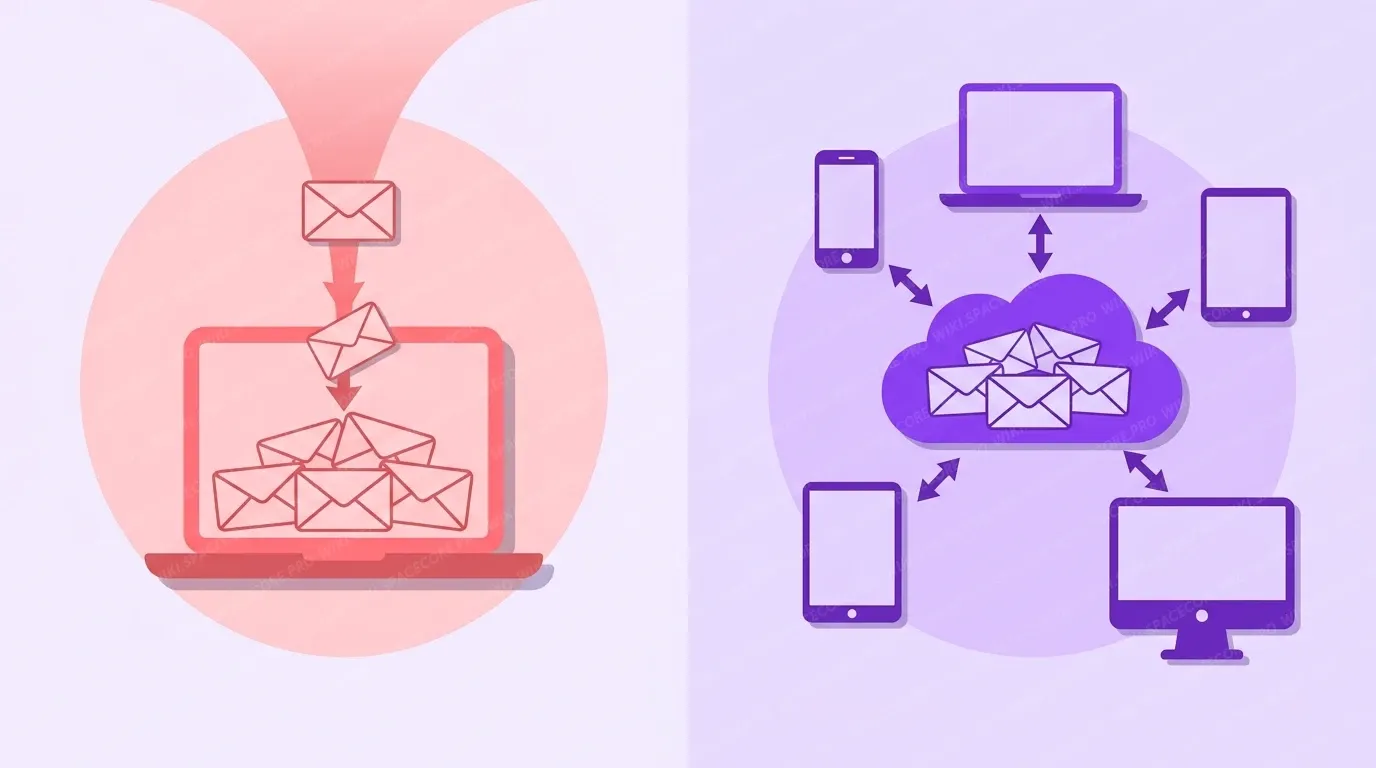
POP3 (Post Office Protocol version 3) downloads messages from the server to your device. In the classic scheme, after downloading, messages are deleted from the server, meaning they stay only on one device.
- 995 - a secure POP3 over SSL/TLS connection. The recommended option.
- 110 - a connection without encryption. Hardly used today.
POP3 is handy if you read mail from one computer and want to store messages locally, for example on a slow or expensive internet connection.
#IMAP - syncing messages on the server
IMAP (Internet Message Access Protocol) keeps messages on the server and syncs them across all your devices. Read a message on your phone - it is marked as read on your computer too.
- 993 - a secure IMAP over SSL/TLS connection. The recommended option.
- 143 - a connection without encryption. Better not to use it.
IMAP is the default choice for most users, because mail is available from any device and is not lost if a phone or laptop breaks.
#POP3 or IMAP, and which ports to choose
A short comparison will help you decide between POP3 and IMAP.
| Criterion | POP3 | IMAP |
|---|---|---|
| Where messages are stored | On the device | On the server |
| Multiple devices | Inconvenient | Convenient, everything is synced |
| Space on the server | Almost none used | Used, you need mailbox capacity |
| Access without internet | Yes, messages are stored locally | Only what is cached |
| Who it suits | One computer, a local archive | Phone plus computer, team work |
#Ports and encryption: a cheat sheet
| Protocol | Without encryption | With encryption |
|---|---|---|
| SMTP (sending) | 25 or 587 | 587 STARTTLS or 465 SSL |
| POP3 (receiving) | 110 | 995 |
| IMAP (receiving) | 143 | 993 |
A general rule: wherever you can, choose the secure ports - 587 or 465, 995, 993. Then your login, password, and message text are transmitted encrypted.
#Email diagnostics
A few commands will help you check mail from a server or computer on Linux.
See which server accepts mail for a domain:
dig MX example.com +shortCheck whether the SMTP server answers on a secure port:
openssl s_client -connect mail.example.com:465 -quietCheck IMAP availability on a secure port:
openssl s_client -connect mail.example.com:993If the connection is not established
Check that the needed port is open on the server side and not blocked by your provider. Make sure the client settings have the correct port and encryption type. For sending use port 587 or 465, for receiving - 993 (IMAP) or 995 (POP3).
Did not find the answer? We are online 24/7.Contact support